
Protect your employees from distractions and hacks
You don't want your employees or anyone else accessing pornography over your business internet connection. You don't want them opening email attachments from hackers either! Fortunately there is a cheap and easy way to protect against all kinds of malicious internet activity - a DNS filter. My favorite two being NextDNS and OpenDNS.
How does a DNS filter work?
Think of DNS like the list of contacts in your phone. You can lookup someone's name, tap on it, and the right phone number automatically gets dialed for you. A similar process happens on the internet where website names like wildearth.tech automatically become numeric addresses. The service that computers use to look up these addresses is called DNS (Domain Name System).
Most of the time your local internet provider does DNS address lookups for you. However, you can modify your internet connection so that all DNS lookups get sent to a specific provider like NextDNS. If someone tries to go to a blocked website, that DNS provider simply refuses to hand out the website's numeric address.
What can a DNS filter block?
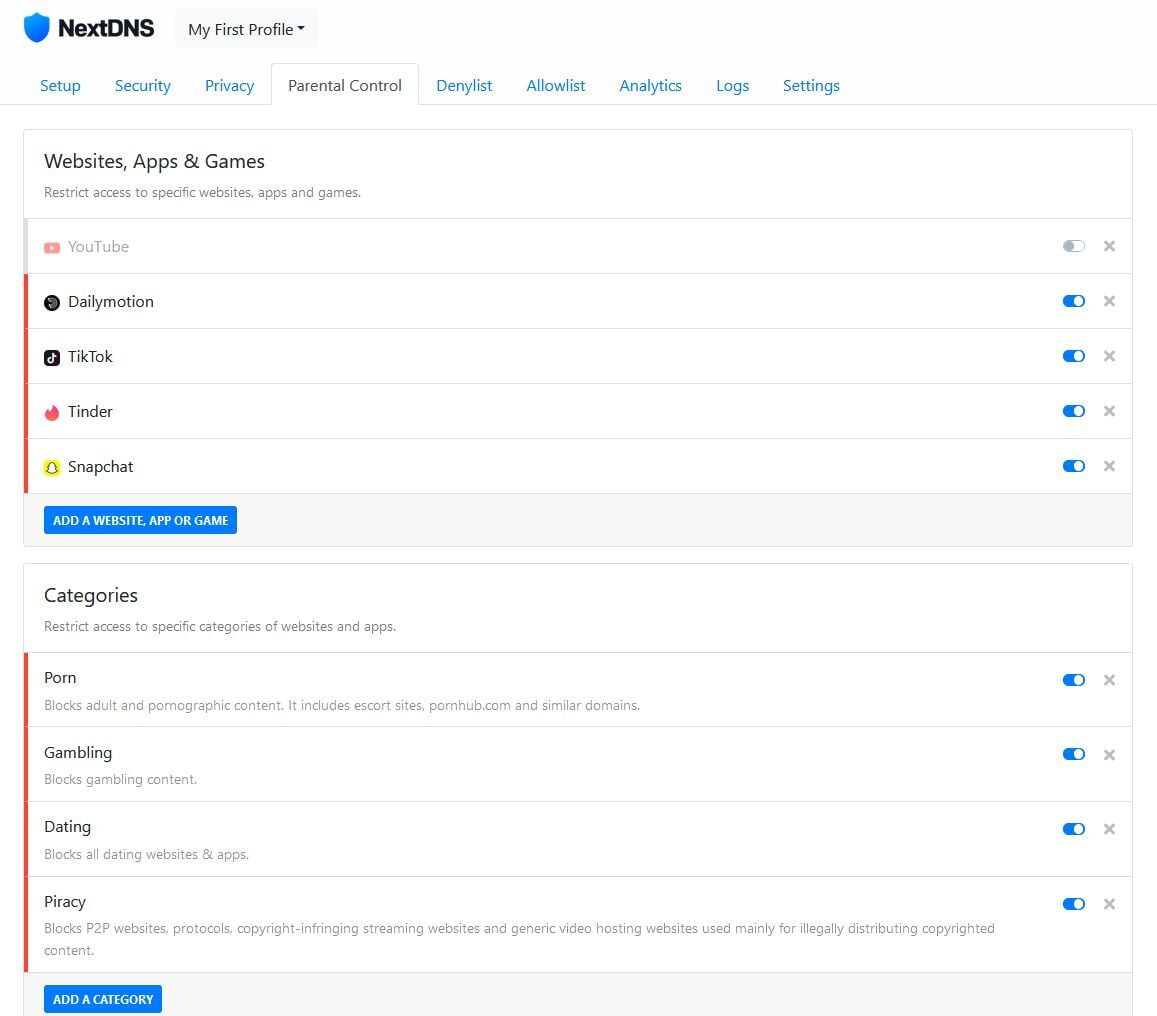
A DNS filter can block specific websites or even categories of websites. DNS services will often also provide ways to block certain kinds of traffic at different times of day. Here is what my NextDNS setup looks like at home to help keep my kids out of trouble:
How do I setup a DNS filter?
A DNS filter is setup by changing some settings on your router. This process is a bit different for each router, but you should be able to find instructions online. The process involves adding two addresses to your router to tell it where to go for DNS lookups. Here is how my NETGEAR router's settings look:
